VS Code Extension
MR Multi Model AI Coder brings the full AI coding experience to VS Code with 9 provider backends, a complete agentic loop, and a built-in analytics dashboard.
Install from the VS Code Marketplace or run code --install-extension mr-innovations.mr-multi-coder
Features
Complete catalog of capabilities — multi-tab chats, agentic loop, inline diffs, attachments, sessions, context management, and more.
Providers
9 AI backends with full setup guides, model tables, and free-tier details — Claude, MR Coder, Kilo Code, Qwen, OpenRouter, Ollama, Codex, Gemini, HuggingFace.
AI Agents (Product Owner)
Background agents that review every turn, commit safely, plan the next task, and research improvements. The Product Owner is live; Solution Architect, Team Lead, and QA are coming soon.
Commands Reference
Every VS Code command, keybinding, slash command, and haptic feedback setting with examples.
Analytics Dashboard
Developer productivity dashboard — productivity score, 12 KPI cards, cost intelligence, model ranking, streak tracking, and more.
MR Coder Connect
Connect via OAuth browser login or API key. API routing architecture, security model, and troubleshooting guide.
IDE Setup (Cursor, Antigravity & More)
Install MR Multi Coder in Cursor, Antigravity, Windsurf, VSCodium, code-server, and any VS Code-compatible IDE.
Web Remote Access
Open your workspace from any browser — auth proxy, per-user project permissions, and an optional Cloudflare tunnel.
MCP Servers
Connect Jira, Figma, Stitch, or any MCP server from the /mcp modal. Keys go to your OS keychain, never settings.json.
Claude Code Setup
Configure Claude Code CLI or VS Code Extension to use MR Coder via environment variables.
vs Claude Code
Detailed comparison of context management between MR Multi Coder and Claude Code. We match on 6 areas and exceed on 7.
Quick Start
Click the MR icon in the Activity Bar to open the Conversations sidebar.
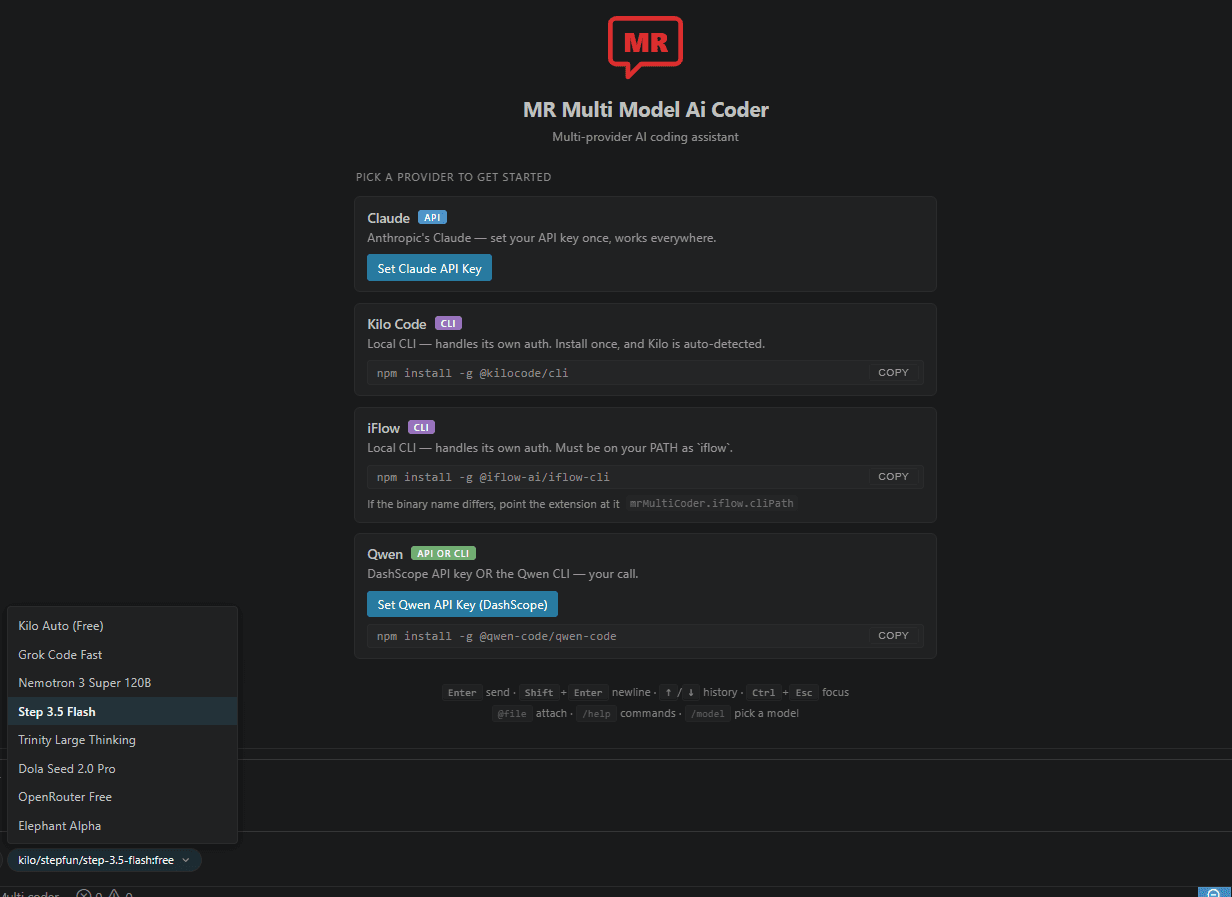
Pick a provider from the chip at the bottom of the chat — Claude, Kilo Code, OpenRouter, Ollama, and more.
Configure credentials the first time — an API key via Command Palette or just install the relevant CLI.
Type a task and press Enter. Every conversation is a standalone editor tab — open five in parallel.
Free Models, No Credit Card
Kilo Code — 9 free models via CLI. Grok Code Fast, Nemotron 3 Super 120B, Step 3.5 Flash, and more.
OpenRouter — 16 free models behind one key. 50 req/day free, 1000/day after a one-time $10 load.
Ollama — run models entirely on your machine. No account, no rate limits, works offline.
Google Gemini — free tier with 500 RPD for Flash, 25 RPD for Pro. No credit card required.
HuggingFace — 22 open-weight models free with rate limits. Pro $9/mo for higher limits.